Meet Garvin, your AI assistant for Windows
Voice control, app launching, memory, and a hosted AI service — all in one quiet desktop app. No API key setup.
Garvin Beta is $10/month. Includes hosted AI, hosted voice, PC control, memory, integrations, and monthly usage limits. Windows 10 & 11 · Cancel anytime.
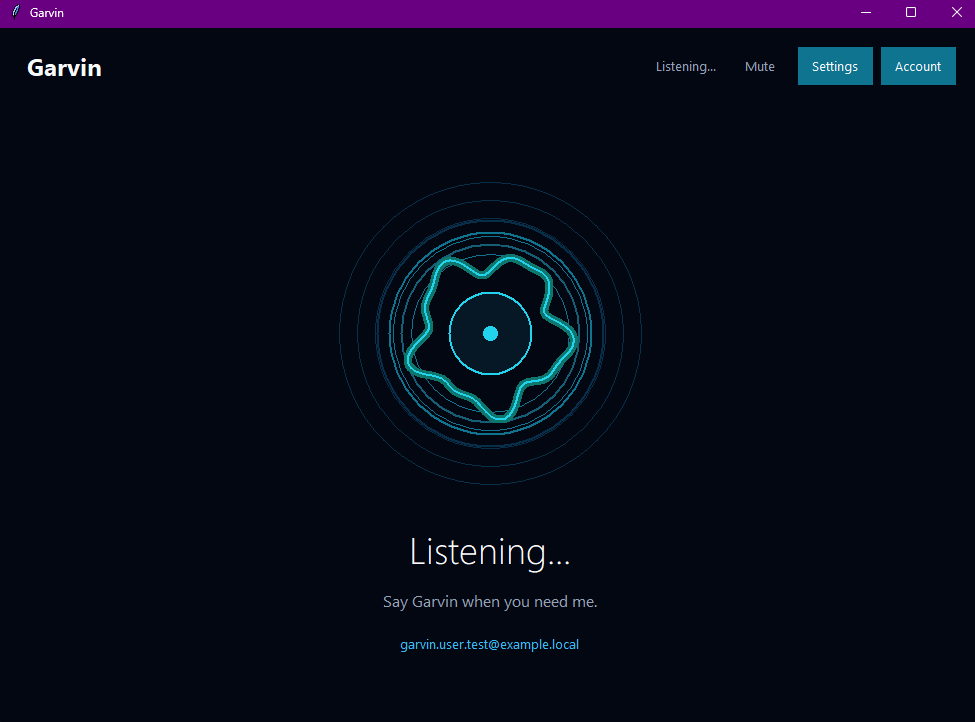
What Garvin does
A real desktop assistant — not just a chat box.
Built for people who actually live inside their PC every day.
Voice Assistant
Talk to Garvin naturally. Ask questions, dictate, or trigger actions hands-free.
PC Control
Run common actions and get help with everyday tasks. Some actions may require setup in Garvin settings.
Memory
Garvin remembers useful preferences and context so you don't repeat yourself.
App Launcher
Opens supported/detected Windows apps and saved shortcuts. Some apps may need a one-time setup in Garvin settings.
Hosted AI + Voice
Sign in and use Garvin's managed AI and voice service. No API keys required.
Settings + Diagnostics
Simple controls for audio, account, app info, and built-in troubleshooting.
How it works
From zero to assistant in three steps.
You don't need to enter your own OpenAI or ElevenLabs API keys. Garvin uses its own hosted AI and voice service.
- 1
Create an account
Sign up on the Garvin website in under a minute.
- 2
Install the Windows app
Download the beta installer for Windows 10 or 11.
- 3
Log in & talk
Sign in once, then start using Garvin with your voice.
Welcome back
Sign in to your Garvin account
New to Garvin? Create an account
Audio
Microphone & voice output
Garvin v0.9.2 · Build 1124
Trust & safety
Built to be a calm app on your machine.
Asks before risky actions
Garvin confirms anything that could change or delete your work.
Local settings, hosted AI
Settings and some app data stay local. AI, voice, account, billing, and usage checks use Garvin's hosted backend.
Secure account & usage
Your account, sessions, and usage are managed securely.
No personal API keys
No personal OpenAI or ElevenLabs API keys needed. Your subscription uses Garvin's hosted OpenAI and ElevenLabs integrations.
Built-in bug reporting
Beta users can report issues directly from inside the app.
Simple Beta Pricing
One plan. $10/month. Cancel anytime.
One plan, hosted AI and voice included, $10/month. Cancel anytime.
Beta
Limited seatsFor personal Windows users. No API key setup.
Billed monthly · Cancel anytime · VAT added at checkout where applicable
Garvin Beta is $10/month and includes hosted AI, hosted voice, PC control, memory, integrations, and monthly usage limits. Limits reset each billing cycle.
- 500 AI requests / month
- 200 voice commands / month
- 30 transcription minutes / month
- 20,000 ElevenLabs voice characters / month
- 1 Windows device during Beta
- PC control included
- Memory included
- Integrations included
- Hosted AI included — no personal API keys
Windows 10 & 11 · Cancel anytime
Questions
Frequently asked
Help shape the first beta of Garvin
We're inviting early adopters to test voice, PC control, and hosted AI on real machines. Your feedback shapes v1.